Fake a Fisheye Lens or Globe Effect
Spherize wraps your footage around a 3D sphere in 2D space. It creates that fisheye lens look, or makes your image bulge outward like it's painted on a ball. It's a fake 3D effect that costs nothing — perfect for sci-fi visuals, trippy transitions, or that "looking at Earth from space" aesthetic.
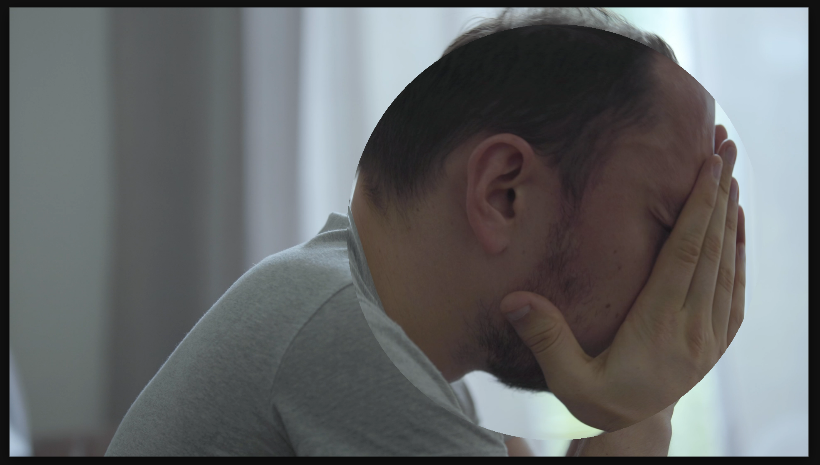
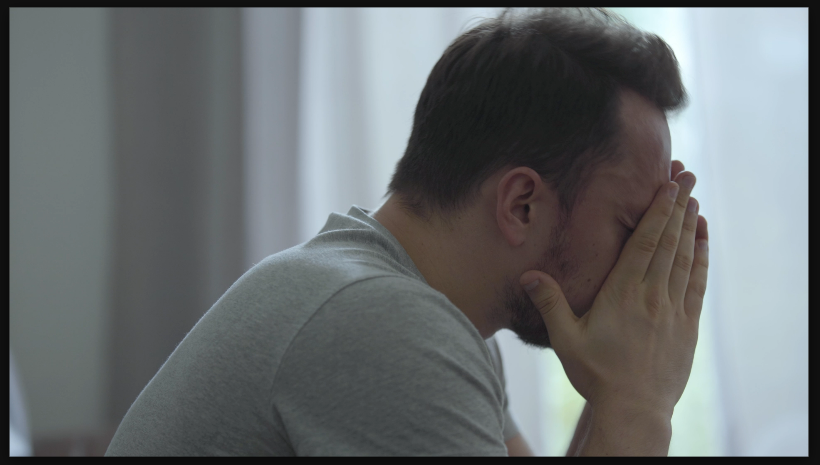
Settings used
- Size: 500
- Center X: 350
- Center Y: 0
- Amount: 100
Add the effect from FX → Distort → Spherize. Amount controls the bulge intensity — 1.0 is a perfect sphere, lower values are subtle, higher values are extreme. Center X/Y position the sphere center. Negative amounts reverse the effect (creates a depression instead of bulge).
When to use it
Use Spherize for sci-fi intros, planet or Earth transitions, or abstract visual effects. Combine with rotation animation to create spinning globe effects. Use extreme amounts (2-3) for surreal, disorienting looks. It works great on flat graphics or footage of Earth/space imagery. Pair with color grading for otherworldly aesthetics.