Add a Water Ripple / Impact Effect
Ripple creates concentric waves that radiate from a center point, like dropping a stone in water. It's a physical, organic distortion that's perfect for impact moments, transitions, or adding texture to static shots. Animate the ripple outward for a splash effect, or use multiple ripple layers for complex wave patterns.
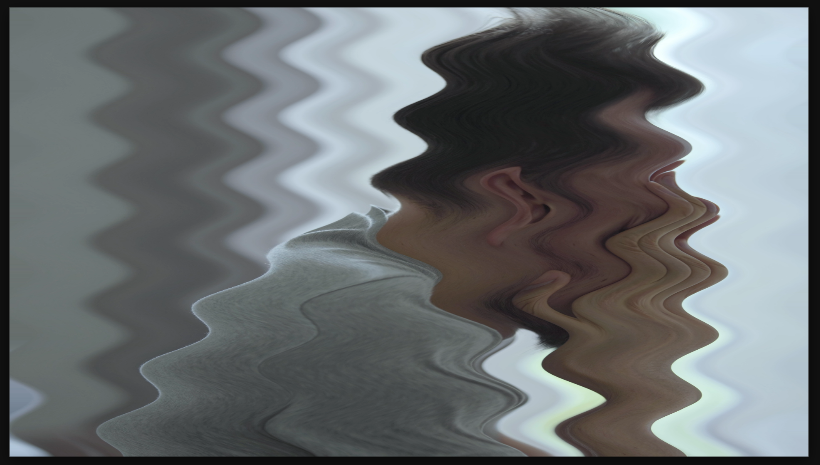

Settings used
- Amplitude: 50
- Wave Width: 150
- Direction: Vertical
- Phase: 180
Add the effect from FX → Distort → Ripple. Amount controls how far pixels move from their origin (the wave height). Wavelength controls the distance between wave peaks — smaller values = tight, fast ripples, larger values = slow, rolling waves. Center X/Y position the epicenter of the ripple.
When to use it
Use Ripple to punctuate key moments with an impact wave. Animate both Center X/Y to move the ripple across the frame. Animate Amount from 0 to max for a splash effect. Combine with sound design for satisfying impact moments. Use subtle ripples (5-10px) for barely-visible texture, larger amounts (30-50px) for obvious distortion.