How to Make the 'Tiny Planet' Effect
Polar Coordinates transforms your image between rectangular and polar space. A straight horizon line becomes a perfect circle (the "tiny planet" effect), or a circle becomes a line. It's a mind-bending transformation that works great for creative transitions, sci-fi visuals, or that viral "tiny planet" panorama look. One effect, endless creative possibilities.
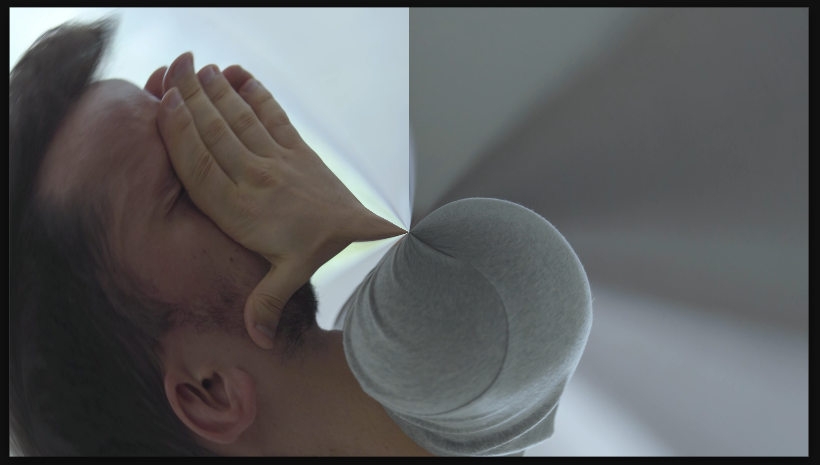

Settings used
- Type: Rect to Polar
- Interpolation: 100
Add the effect from FX → Distort → Polar Coordinates. Type controls the direction — Rectangular to Polar turns flat footage into a spinning planet, Polar to Rectangular does the reverse (circle becomes line). Interpolation controls the quality — Smooth is best for animation, Fast is lower quality but cheaper to render.
When to use it
Use Rectangular to Polar on wide panoramic footage to create the viral "tiny planet" effect. Use Polar to Rectangular for reverse transformations or creative transitions. Animate between the two types for mind-bending transitions. It works best on footage with a clear horizon line or circular composition. Great for sci-fi, abstract, or editorial motion graphics.