Generate Free Backgrounds & Textures From Scratch
Fractal Noise generates complex, organic-looking textures and animated backgrounds from nothing — no assets required. It's powered by Perlin noise, the algorithm behind procedural textures in games and 3D software. Use it to create animated clouds, smoke, fire, abstract backgrounds, or dappled shadows and light effects that overlay on your footage. With the right blend mode and contrast, it can look like sunlight filtering through foliage or atmospheric light leaks.
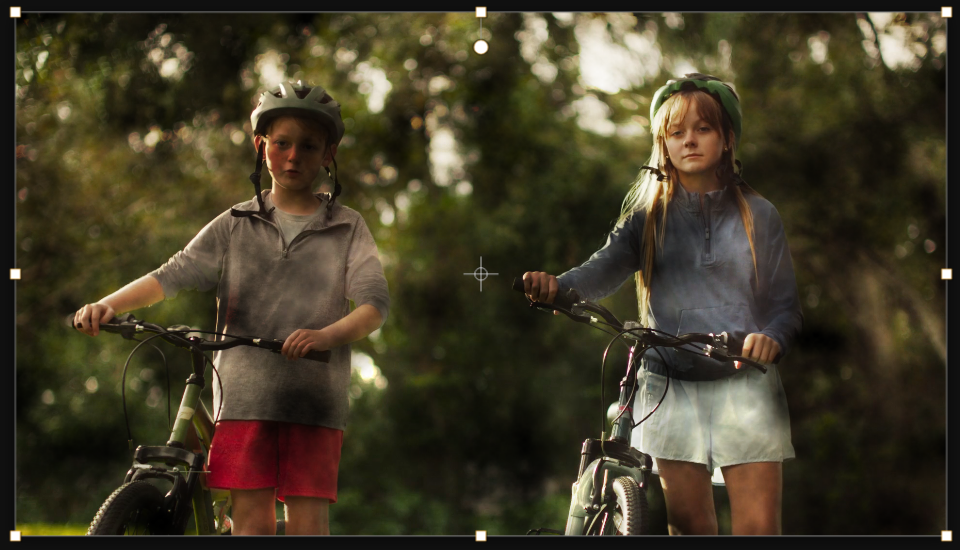
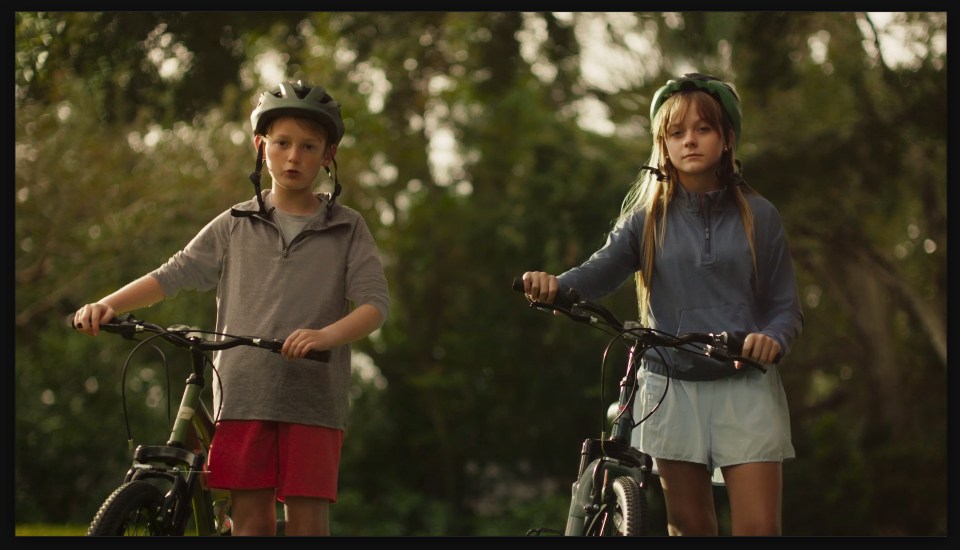
Settings used
- Scale: 150
- Contrast: 150
- Complexity: 6
- Blend Mode: Overlay
Add the effect from FX → Noise & Grain → Fractal Noise. Scale controls the size of noise patterns — lower values (30-80) are detailed and fine, higher values (150-400) are large and cloud-like. Contrast pushes blacks and whites apart for more drama. Complexity adds layers of detail — higher values create more intricate patterns. Animate Evolution over time to create moving clouds or flowing textures.
When to use it
Create animated background layers for lower thirds, title cards, or b-roll. Use it to generate animated textures for transitions or wipes. Combine multiple fractal noise layers at different scales, blend modes, and speeds to create complex organic motion. It's also useful for creating procedural overlays, dust particles, fog, or abstract visual elements. Matte with a shape or text layer to get organic backgrounds inside letters or shapes.