Key Footage Without a Green Screen
Extract pulls a clean key from footage that wasn't even shot on green screen — it finds the most common color in your image and treats it as the key (background). Shoot against a wall, window, sky, or any consistent color and Extract will separate your subject. It's way more flexible than green screen keying because you can use the environment, and it works when green screen wasn't available.
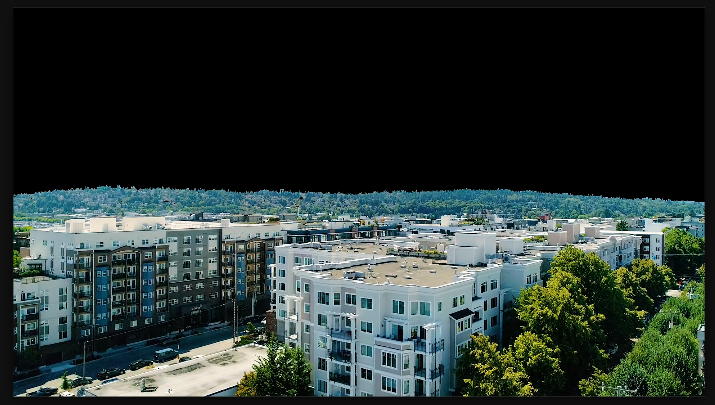
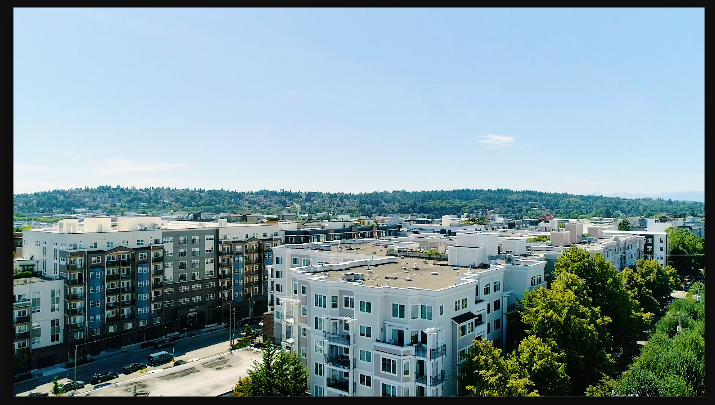
Settings used
- Channel: Luminance
- Black Point: 8
- White Point: 193
- Black Softness: 0
- White Softness: 0
Add the effect from FX → Keying → Extract. Start with Channel set to Luminance. Use Black Point to make dark tones transparent (0-100 range) and White Point to define where bright tones stop being opaque (150-255 range) — adjust both until your background disappears and your subject stays solid. Then increase Black Softness and White Softness (0-30 range) to feather the matte edges and make the key blend smoothly. Fine-tune until the transparency looks natural with no harsh edges around your subject.
When to use it
Use Extract when you're shot against a solid color but can't use green screen. It works great on footage shot against white walls, blue sky, or any uniform background. The subject needs to be noticeably different in color from the background — it won't work if your subject and background have similar tones. Combine with Matte Choker or Simple Choker to refine the edges if needed.