After Effects Is $22.99/Month. Here's the Free Browser Alternative That Actually Works.
Adobe After Effects costs $22.99 per month on the annual plan. For professionals billing clients, that's a line item. For students, indie creators, and anyone building a side project, it's a real barrier. You need the tool, but you don't need it enough to justify the subscription.
BrwsrFx is a browser-based video compositor built for exactly that gap. It runs entirely in your browser, requires no install, no subscription, and no Creative Cloud account. This article breaks down what you get, what you give up, and who it's the right fit for.
What After Effects Actually Costs
The licensing model matters more than the headline price. After Effects is not a one-time purchase. Adobe moved to subscription-only in 2013. At $22.99/month on the annual plan, that's $275.88 per year. For a freelancer doing one or two motion projects a month, the math rarely works out. For a student learning compositing for the first time, the barrier is even higher.
What Most Projects Actually Need
After Effects is deep. It has expressions, the graph editor, Cinema 4D integration, third-party plugin support, and a feature set built over three decades. Most projects use a fraction of it.
A typical short-form compositing job needs:
- A multi-layer timeline
- Keyframe animation on position, scale, rotation, and opacity
- Basic effects: blur, color correction, transitions
- Masking and blend modes
- A clean export at 1080p
That list describes the majority of YouTube intros, social content, product demos, and short-form motion work. It does not require a $22.99/month subscription.
What BrwsrFx Offers
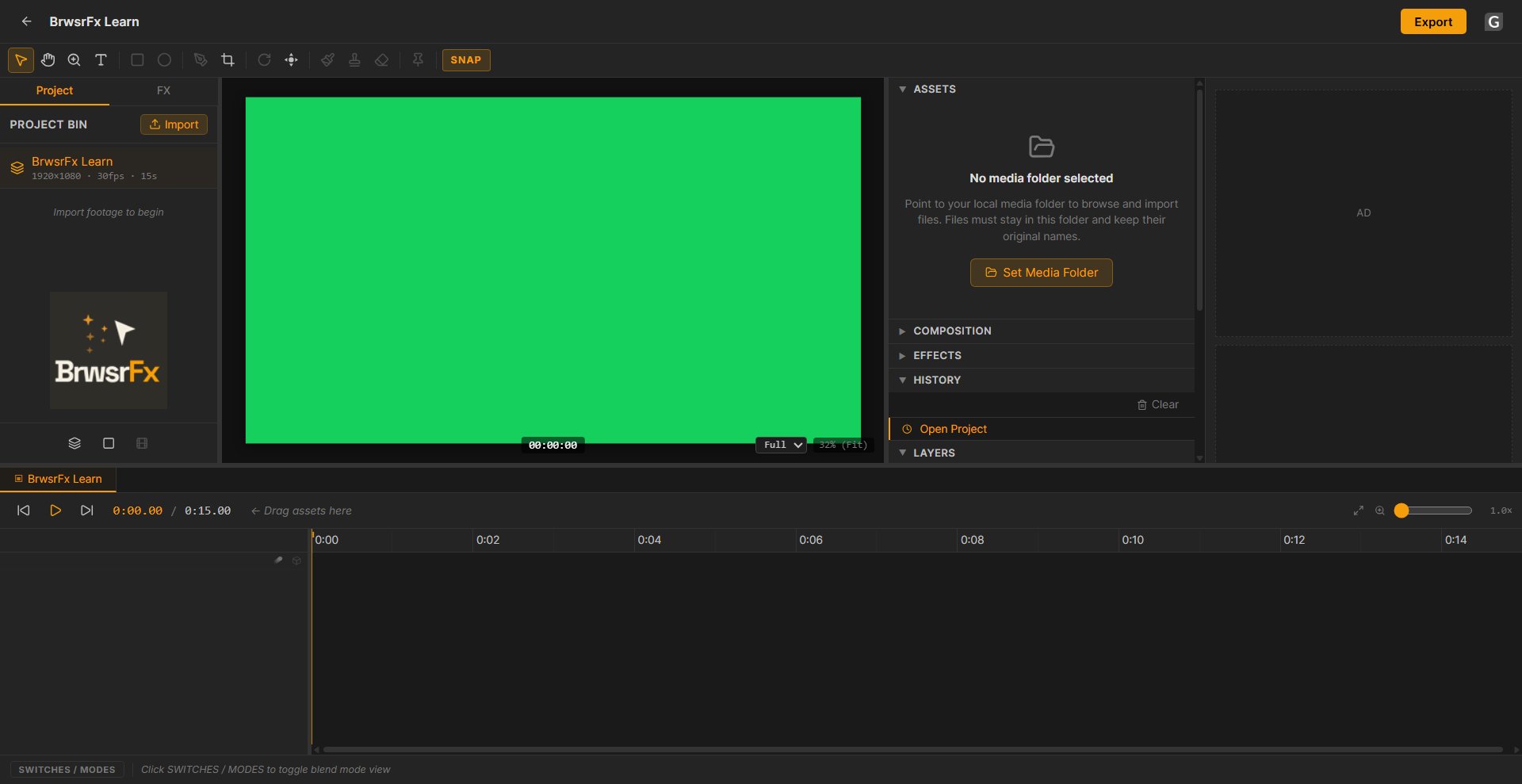
The BrwsrFx editor: timeline, canvas, and properties panel.
Timeline and Keyframes
The timeline works the same way After Effects users expect: layers stacked top to bottom, a playhead, and per-property keyframe tracks. You can set keyframes on position, scale, rotation, and opacity on any layer. Easing options include Linear, Ease In, Ease Out, and Ease In/Out, applied via right-click on any keyframe diamond. The workflow is familiar if you have any AE background.
Layer Types
The compositor supports video, image, text, shape, audio, and null layers. Null layers can be used as parents, which means you can build parented layer hierarchies the same way you would in After Effects.
Effects and Masking
Effects stack per layer, the same as AE. Current effects include blur, color correction, and keying. Masks can be applied per layer with standard blend modes across the stack.
Pre-compositions
Pre-comps are a working feature. You can nest compositions inside each other and animate the nested comp as a single layer, the same workflow AE users use for complex scenes.
Export
Export renders to H.264 MP4 at 1080p via FFmpeg, running entirely inside your browser. No server queue, no watermark, no upload required. Your footage never leaves your machine.
Side by Side
| After Effects | BrwsrFx | |
|---|---|---|
| Price | $22.99/month (annual) | Free |
| Install required | Yes (9GB+) | No |
| Multi-layer timeline | Yes | Yes |
| Keyframe animation | Yes | Yes |
| Effects per layer | Yes | Yes |
| Masking | Yes | Yes |
| Pre-compositions | Yes | Yes |
| Graph editor | Yes | Not Yet |
| Expressions | Yes | Not Yet |
| Third-party plugins | Yes | Not Yet |
| Export formats | Multiple | H.264 MP4 |
| Works on any OS | Windows / Mac | Any browser |
What You Give Up
BrwsrFx does not have expressions, the graph editor, or third-party plugin support. If your workflow depends on scripting, complex easing curves, or plugins like Motion Bro or Video Copilot products, After Effects is still the right tool.
For broadcast production, long-form VFX work, or anything requiring Cinema 4D integration, there is no substitute. But for the majority of short-form and social content, none of those features are in the critical path.
Who BrwsrFx Is Right For
- Students learning compositing who do not want to pay for a subscription before they know if motion design is their path
- Freelancers doing occasional motion work where the AE subscription cost does not pencil out
- Content creators producing YouTube intros, social posts, or product demos
- Anyone on Windows, Mac, or Linux who wants the same tool without platform constraints
- Teams where only one or two people need compositing capability but a full CC seat is not justified
Getting Started
BrwsrFx runs at brwsrfx.vercel.app. The editor opens directly in your browser, no sign-in needed. Import your footage, add layers, and build your composition the same way you would in After Effects.
New features are being added regularly. There is no watermark on exports and no cost.
Free. Ad-supported. With your support, it stays that way.